CCNA 200-301 Exam Topics: Every Domain and Weight
This is the complete CCNA blueprint, both versions, in one place. v1.1 is the exam you sit through 2 February 2027; v2.0 takes over on 3 February 2027 under the same 200-301 number. Every domain below carries its official weight, and every topic carries the verb Cisco used - because the verb, not the topic name, tells you whether you need to recognise something or fix it.
See your score broken down by these exact domains
Reading the blueprint tells you what is testable. A full-length practice exam tells you which parts of it you cannot do yet. The first one is free - explanation and Exam Tip on every item, plus a personalized Exam Coach that names the weak domains in priority order. Create an account on the next screen and the code applies itself.
CCNA-EXAM-FULL
Start the free exam
Already have an account? Log in to start · Prefer a 5-question taster? Try the short version.
On this page
How to read a blueprint
Two numbers and one word decide how much time a topic deserves.
- The domain weight is the share of your score, not the share of the syllabus. A 25% domain is worth two and a half times a 10% domain even if the 10% domain has more bullet points.
- The topic count inside a domain tells you how thinly that weight is spread. v2.0's domain 1.0 carries 25% across just seven topics, which makes each one heavy.
- The verb is the part people skip, and it is the most actionable. Cisco is precise about it:
Troubleshoot / Diagnose find the fault, and for troubleshoot, fix it. Needs hands-on practice with broken configs.
Configure / Verify build it and prove it works. Needs command-line fluency.
Describe / Explain / Interpret / Compare understand it well enough to reason about it. Reading and diagrams are enough.
The v1.1 blueprint - six domains (until 2 February 2027)
This is the exam being sat today. 120 minutes.
1.0 Network Fundamentals13 topics. The vocabulary of everything else, plus subnetting.
- 1.1ExplainRole and function of network components: routers, L2/L3 switches, NGFW and IPS, access points, controllers, endpoints, servers, PoE
- 1.2DescribeTopology architectures: two-tier, three-tier, spine-leaf, WAN, SOHO, on-premises and cloud
- 1.3ComparePhysical interface and cabling types: single-mode fiber, multimode fiber, copper; shared media and point-to-point
- 1.4IdentifyInterface and cable issues: collisions, errors, duplex and speed mismatch
- 1.5CompareTCP to UDP
- 1.6ConfigureIPv4 addressing and subnetting → subnetting guide
- 1.7DescribePrivate IPv4 addressing
- 1.8ConfigureIPv6 addressing and prefix
- 1.9DescribeIPv6 address types: unicast (global, unique local, link local), anycast, multicast, modified EUI-64
- 1.10VerifyIP parameters on client OS: Windows, macOS, Linux
- 1.11DescribeWireless principles: non-overlapping channels, SSID, RF, encryption
- 1.12ExplainVirtualization fundamentals: server virtualization, containers, VRFs
- 1.13DescribeSwitching concepts: MAC learning and aging, frame switching, frame flooding, MAC address table
2.0 Network Access9 topics. Switching plus the wireless block that v2.0 trims.
- 2.1ConfigureVLANs (normal range) across switches: access ports (data and voice), default VLAN, inter-VLAN connectivity → VLANs and trunking
- 2.2ConfigureInterswitch connectivity: trunk ports, 802.1Q, native VLAN
- 2.3ConfigureLayer 2 discovery protocols: CDP and LLDP
- 2.4ConfigureLayer 2/Layer 3 EtherChannel (LACP)
- 2.5InterpretRapid PVST+ basics: root port and root bridge, port states and roles, PortFast, root guard, loop guard, BPDU filter and BPDU guard → STP guide
- 2.6DescribeCisco wireless architectures and AP modes
- 2.7DescribePhysical infrastructure connections of WLAN components: AP, WLC, access/trunk ports, LAG
- 2.8DescribeDevice management access: Telnet, SSH, HTTP, HTTPS, console, TACACS+/RADIUS, cloud managed
- 2.9InterpretWireless LAN GUI configuration: WLAN creation, security settings, QoS profiles, advanced settings
3.0 IP Connectivity5 topics carrying the single biggest weight. Routing.
- 3.1InterpretRouting table components: protocol code, prefix, network mask, next hop, administrative distance, metric, gateway of last resort
- 3.2DetermineHow a router forwards by default: longest prefix match, administrative distance, routing protocol metric
- 3.3ConfigureIPv4 and IPv6 static routing: default, network, host and floating static routes
- 3.4ConfigureSingle-area OSPFv2: neighbor adjacencies, point-to-point, broadcast (DR/BDR election), router ID → OSPF guide
- 3.5DescribePurpose, functions and concepts of first hop redundancy protocols
4.0 IP Services9 topics. Small weight, wide surface - easy to over-study.
- 4.1ConfigureInside source NAT using static and pools
- 4.2ConfigureNTP in client and server mode
- 4.3ExplainRole of DHCP and DNS within the network
- 4.4ExplainFunction of SNMP in network operations
- 4.5DescribeSyslog features including facilities and severity levels
- 4.6ConfigureDHCP client and relay
- 4.7ExplainPer-hop behaviour for QoS: classification, marking, queuing, congestion, policing, shaping
- 4.8ConfigureRemote access using SSH
- 4.9DescribeCapabilities and functions of TFTP/FTP
5.0 Security Fundamentals10 topics. Mostly conceptual in v1.1 - that changes in v2.0.
- 5.1DefineKey security concepts: threats, vulnerabilities, exploits, mitigation techniques
- 5.2DescribeSecurity program elements: user awareness, training, physical access control
- 5.3ConfigureDevice access control using local passwords
- 5.4DescribePassword policy elements: management, complexity, alternatives (MFA, certificates, biometrics)
- 5.5DescribeIPsec remote access and site-to-site VPNs
- 5.6ConfigureAccess control lists
- 5.7ConfigureLayer 2 security features: DHCP snooping, dynamic ARP inspection, port security
- 5.8CompareAuthentication, authorization and accounting concepts
- 5.9DescribeWireless security protocols: WPA, WPA2, WPA3
- 5.10ConfigureWLAN within the GUI using WPA2 PSK
6.0 Automation and Programmability7 topics. Dissolved in v2.0 - see below before investing time here.
- 6.1ExplainHow automation impacts network management
- 6.2CompareTraditional networks with controller-based networking
- 6.3DescribeController-based, software-defined architecture: overlay, underlay, fabric; control/data plane separation; northbound and southbound APIs
- 6.4ExplainAI (generative and predictive) and machine learning in network operations
- 6.5DescribeCharacteristics of REST-based APIs: authentication types, CRUD, HTTP verbs, data encoding
- 6.6RecognizeConfiguration management mechanisms such as Ansible and Terraform
- 6.7RecognizeComponents of JSON-encoded data
Turn the blueprint into a priority list
A checklist tells you everything is important. One full-length attempt tells you which three topics are actually costing you marks. Free, no credit card, with a personalized Exam Coach that reads the whole attempt and names what to revisit first.
CCNA-EXAM-FULL
Redeem the code
Already have an account? Log in to redeem
The v2.0 blueprint - five domains (from 3 February 2027)
Same 200-301 number, same 120 minutes, redrawn structure. Cisco's exam description for v2.0 adds a sentence worth noting: candidates "may be required to evaluate output and recommendations from agentic AI and digital network assistants to support network operations and troubleshooting activities."
1.0 Network Infrastructure and Connectivity7 topics, five of them troubleshoot or diagnose. The heaviest topics on the exam.
- 1.1DiagnoseInterface and cable issues (copper and fiber): collisions, errors, mismatched duplex, speed, distance, interface, signal levels, pin-out, cable types
- 1.2DescribeRole and function of hypervisors, virtual machines and containers
- 1.3TroubleshootIPv4 address configuration, assignment and subnetting (public and private) → subnetting guide
- 1.4TroubleshootIPv6 address configuration, assignment and prefix sizing (unicast and modified EUI-64)
- 1.5DescribeWireless principles: band and channel selection, RF characteristics, security protocols, causes of interference
- 1.6TroubleshootWired and wireless client connectivity: IP configuration, network reachability, wireless security parameters on Windows, macOS and Linux
- 1.7TroubleshootDHCPv4 client, server and relay on IOS devices
2.0 Switching and Network Access5 topics. Pure switch work - and a quarter of the exam.
- 2.1ConfigureNetwork infrastructure connectivity (switch-to-switch, switch-to-router): L2/L3 physical interfaces, 802.1Q trunks, L2/L3 LACP port-channel/EtherChannel, switch virtual interface (SVI) → VLANs and trunking
- 2.2ConfigureLayer 2 switch port attributes for edge hosts (VLAN, PoE, port channel, LACP): desktops, printers and IoT appliances; access points (standalone and controller based); VoIP phones; virtualized hosts; network appliances
- 2.3ValidateAccuracy of network documentation using CDP and LLDP
- 2.4TroubleshootBasic L2/L3 connectivity and device operations using show commands (including
show logs), ping, extended ping, traceroute and packet capture output - 2.5ConfigureRapid PVST+ operations: root port and root bridge (primary/secondary), port states and roles, PortFast, root guard, loop guard, BPDU guard → STP guide
3.0 IP Routing4 topics. Tighter than v1.1's IP Connectivity, and OSPF now includes OSPFv3.
- 3.1InterpretA routing table to identify the next hop for a packet: routing protocol, prefix/mask, administrative distance, metric, default route
- 3.2TroubleshootIPv4 and IPv6 static routing: default route, network route, host route, floating static
- 3.3ConfigureSingle-area OSPFv2 for IPv4 and OSPFv3 for IPv6: neighbor adjacencies (excluding authentication), point-to-point, broadcast (DR/BDR selection), router ID → OSPF guide
- 3.4InterpretOperational status of first hop redundancy protocols (HSRP and VRRP)
4.0 Network Services and Security7 topics. v1.1's IP Services and Security Fundamentals merged - and made hands-on.
- 4.1ConfigureNetwork devices with local usernames and as an AAA client (TACACS+ and RADIUS) for management
- 4.2ManageDevice configuration and software files using secure file transfer (SFTP/SCP)
- 4.3ConfigureNAT/PAT on IOS XE routers
- 4.4DiagnoseIssues with DNS records (A, AAAA, CNAME, MX, NS, PTR) affecting host, web application and mail server access by name
- 4.5DescribeIPsec remote access and site-to-site VPNs: protocols and transport modes
- 4.6ConfigureIPv4 access control lists: standard, extended, numbered and named
- 4.7ConfigureLayer 2 security features: DHCP snooping, dynamic ARP inspection, storm control, RA guard, port security
5.0 AI, and Network Operations and Management6 topics. What survived of automation, plus the new AI content.
- 5.1DescribeThe role of agentic AI in network operations
- 5.2SelectA prompt to send to a generative AI system to support network operations, considering prompt components such as data classification, output format, persona and instructions
- 5.3DescribeNetwork management approaches: device-based, cloud-based, controller-based, automation-based, infrastructure as code
- 5.4DescribeThe function of SNMP in network operations
- 5.5UseConfiguration management mechanisms such as Ansible to execute commands
- 5.6InterpretSyslog message content, severity levels and facilities
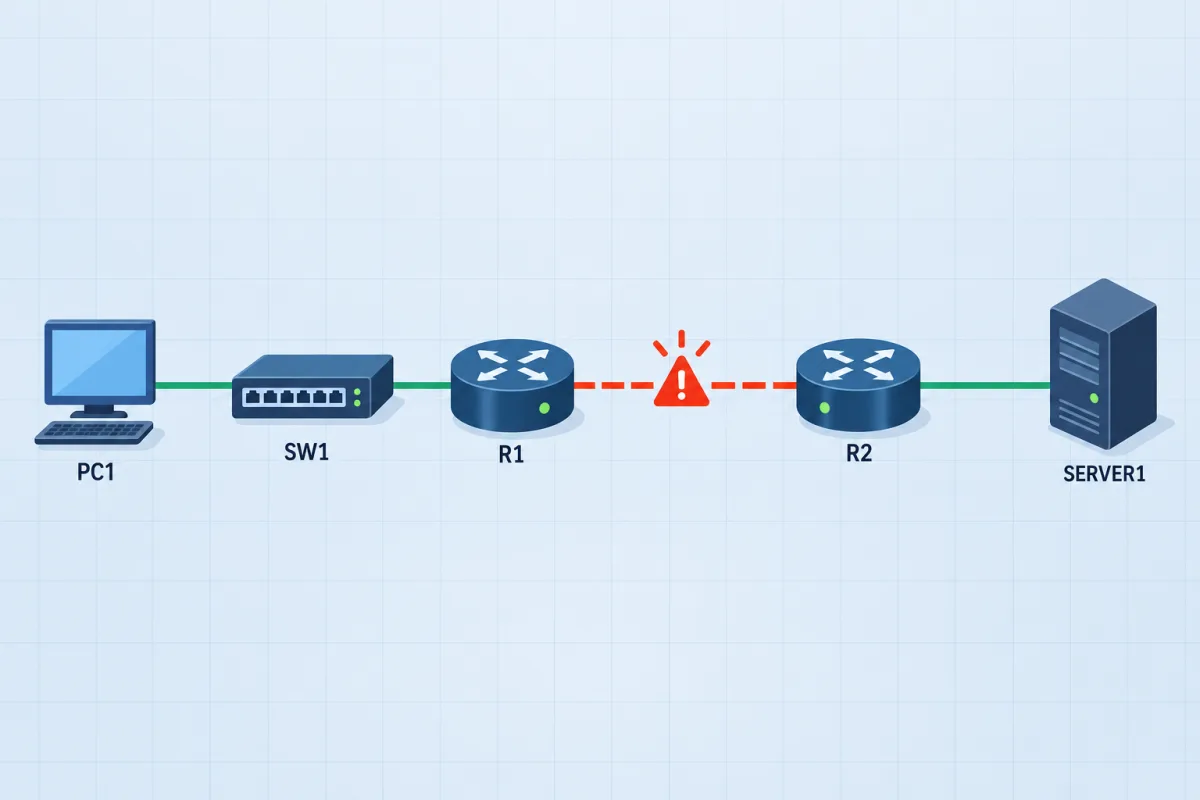
Seven troubleshoot topics, 9 live networks
The CCNA troubleshooting labs map each scenario to the v1.1 topic it drills and the v2.0 topic it becomes, then hand you the network broken. You fix it from the console; the network grades the repair.
See the blueprint mapWhat to study first
Weights tell you what the exam values. They do not tell you what to learn first, because some topics are load-bearing for others. A sequence that works for both versions:
- Subnetting until it is automatic. It is explicitly tested, and it is silently required by routing, ACLs, NAT and every troubleshooting item. Weakness here shows up as low scores in domains that look unrelated. Subnetting guide.
- Switching: VLANs, trunks, EtherChannel, SVIs. The largest configuration block in v1.1, and a full quarter of v2.0. VLANs and trunking.
- Spanning tree, properly. Root bridge election and port roles are reliable marks, and the guard features (PortFast, root guard, loop guard, BPDU guard) appear in both versions. STP guide and the interactive STP simulator.
- Routing: the table, static routes, then OSPF. Read the table first - a lot of routing questions are really table-reading questions. OSPF configuration.
- Services and security together. In v2.0 they are one domain, and studying them together is closer to how they are tested: ACLs alongside NAT, AAA alongside device access.
- The small domain last. Automation in v1.1, AI and operations in v2.0. It is 10% either way and the least dependent on everything else.
Then stop reading and start answering. The gap between recognising a topic on this page and being able to configure it under time pressure is the entire difference between a fail and a pass, and it is only visible from the other side of a full-length attempt. Am I ready for the CCNA? sets out the readiness thresholds worth hitting before you book.
Frequently asked questions
What are the CCNA 200-301 exam domains and their weights?
Through 2 February 2027 (v1.1) there are six: Network Fundamentals 20%, Network Access 20%, IP Connectivity 25%, IP Services 10%, Security Fundamentals 15%, Automation and Programmability 10%. From 3 February 2027 (v2.0) there are five: Network Infrastructure and Connectivity 25%, Switching and Network Access 25%, IP Routing 20%, Network Services and Security 20%, and AI, and Network Operations and Management 10%.
How many questions are on the CCNA exam?
Cisco does not publish a fixed number and it varies between exam forms. The exam is 120 minutes and candidates commonly report somewhere in the region of 90 to 120 items, mixing multiple choice, drag-and-drop and simulations. Because the count is not fixed, treat the domain weights as percentages of your score rather than converting them into an exact number of questions.
Is the CCNA blueprint the same thing as the exam objectives?
Yes. Cisco publishes the document as "exam topics"; candidates and training providers say blueprint or objectives. All three names refer to the same numbered list of domains and subtopics, which is the authoritative statement of what can appear on the exam.
Which CCNA domain should I study first?
Addressing and subnetting, then switching. Subnetting is load-bearing - routing, ACLs, NAT and troubleshooting all assume it, so a weakness there costs marks in domains that look unrelated. Switching is the biggest configuration block in v1.1 and a full quarter of v2.0, which makes it the highest-return place to spend lab time.
Do I have to study every topic on the list?
Yes, but not to equal depth, and note that Cisco says additional related topics may appear on any given form - the list is a floor, not a ceiling. Weight your time by domain percentage and by verb. A topic that says configure or troubleshoot needs hands-on repetition; a topic that says describe needs understanding you can reason from, not command-line fluency.
Where does the official blueprint live?
On Cisco's own site, as the 200-301 exam topics page, with a downloadable PDF per version. Everything on this page was read from those documents. Cisco can revise a blueprint at any time without notice, so check the official source for the version in force on your test date before you finalise a study plan.