Interactive STP Simulator: Watch Spanning Tree Protocol Converge
In This Lab
About This Simulator
This interactive simulator lets you watch Spanning Tree Protocol converge in real-time. Instead of memorizing rules from a textbook, you'll see BPDUs being exchanged, the Root Bridge being elected, Root Ports and Designated Ports being assigned, and blocking ports preventing loops - all animated step by step.
Choose from three difficulty levels:
- Basic Triangle - 3 switches, perfect for understanding the fundamentals of root election and port roles
- Enterprise Ring - 5 switches with mixed link speeds (1 Gbps and 100 Mbps), showing how cost affects path selection
- Complex Mesh - 7 switches in a hierarchical design with multiple redundant paths and tiebreaker scenarios
Choose Your Topology
Select a network topology to begin the simulation.
Basic Triangle
3 switches, equal priority, equal link speeds. Learn root election by MAC address tiebreaker.
BeginnerEnterprise Ring
5 switches with mixed speeds (1 Gbps + 100 Mbps). See how cost determines best paths.
IntermediateComplex Mesh
7 switches in a hierarchical design. Multiple redundant paths with BID tiebreaker scenarios.
AdvancedHow Root Bridge Election Works
The Root Bridge is the central reference point for the entire STP topology. Every other switch calculates its shortest path back to this switch. The election is based on the Bridge ID (BID).
The Bridge ID has two components:
- Bridge Priority - A configurable value between 0 and 61440, in increments of 4096. The default is
32768on all switches - MAC Address - If priorities are tied, the switch with the lowest base MAC address wins the tiebreaker
spanning-tree vlan 1 priority 0 or spanning-tree vlan 1 root primary.STP Port Cost by Link Speed
| Link Speed | STP Cost (802.1D) | RSTP Cost (802.1w) |
|---|---|---|
| 10 Mbps | 100 | 2,000,000 |
| 100 Mbps | 19 | 200,000 |
| 1 Gbps | 4 | 20,000 |
| 10 Gbps | 2 | 2,000 |
How Root Port Election Works
Every non-root switch must select exactly one Root Port - the port with the best (lowest cost) path back to the Root Bridge. The selection uses this tiebreaker sequence:
- Lowest Root Path Cost - The cumulative cost of all links from this switch to the Root Bridge. Lower total cost wins
- Lowest Sender Bridge ID - If two paths have equal cost, the path through the neighbor with the lower BID wins
- Lowest Sender Port ID - If connected to the same upstream switch via parallel links, the lower port number wins
How Designated Port Election Works
Every network segment (link between two switches) must have exactly one Designated Port. This port is responsible for forwarding traffic onto that segment.
- All Root Bridge ports are Designated - The Root Bridge's cost to itself is 0, so it always wins
- Lowest Root Path Cost - On other segments, the switch closer to the root (lower cumulative cost) makes its port designated
- Lowest Sender Bridge ID - Tiebreaker if both switches have equal cost to root
- Lowest Sender Port ID - Final tiebreaker for parallel links through a hub (rare in modern networks)
Get the Complete CCNA Study Guide
When you purchase a CCNA practice exam, you get full access to our comprehensive study guides covering every exam topic in depth - not just the free samples here.
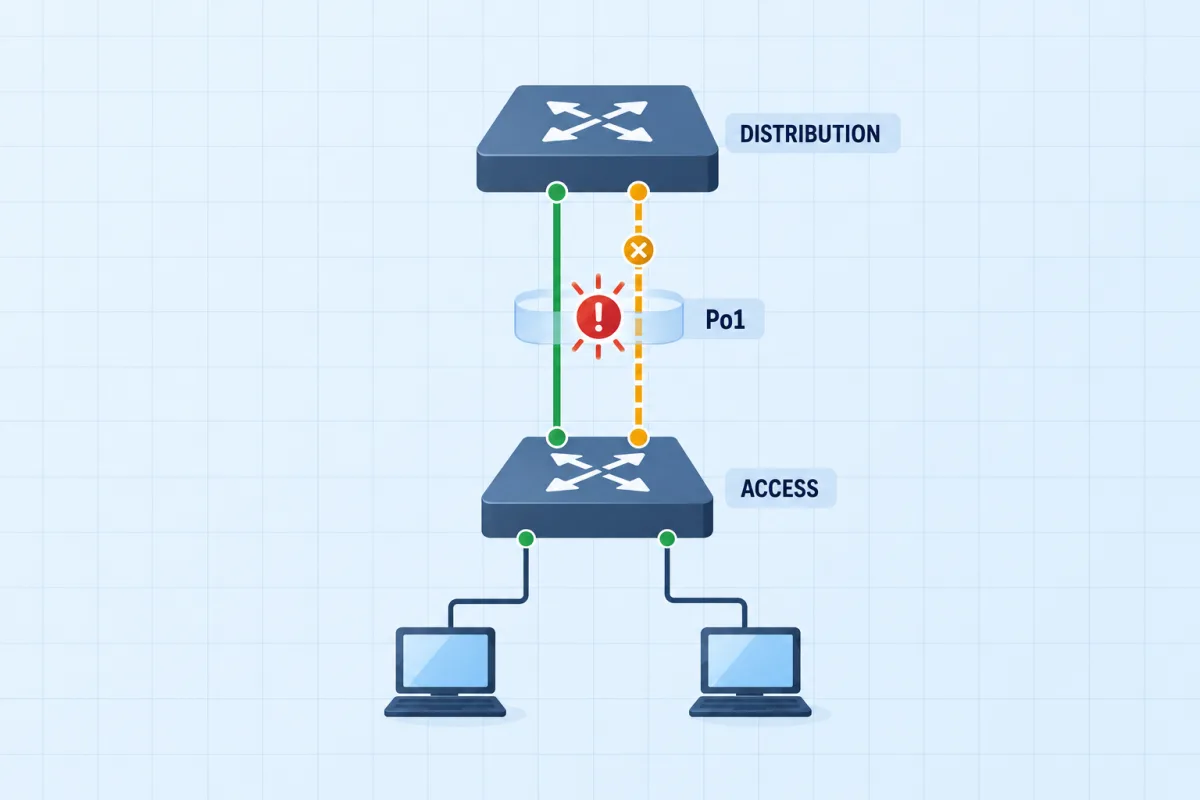
Bundle the Access Uplink
The simulator shows which port spanning tree blocks. This scenario is the same idea on a live network: two uplinks meant to be one bundle, one of them blocked, and an IOS console on every switch to find out why.
See all 9 CCNA advanced labsWant to go deeper?
STP Practice Questions
Test your understanding with these 5 expert-created questions. Each includes a detailed explanation to reinforce your learning.
Ready for More?
You've just explored STP convergence interactively. Here's how to keep preparing for your CCNA:
Frequently Asked Questions
How does the STP root bridge election work?
All switches exchange BPDUs containing their Bridge ID (Priority + MAC Address). The switch with the lowest Bridge ID becomes the Root Bridge. Priority (default 32768) is compared first; if tied, the lowest MAC address wins. Administrators can influence the election by setting spanning-tree vlan <id> priority <value>.
What is the difference between Root Port and Designated Port?
A Root Port is found on non-root switches - it's the single port with the lowest cost path back to the Root Bridge. A Designated Port is the port on each network segment responsible for forwarding traffic - one per segment. All ports on the Root Bridge are automatically Designated Ports.
Why do some ports go into Blocking state?
Blocking is STP's loop prevention mechanism. If a port is not elected as a Root Port or Designated Port, it means allowing traffic on that port would create a loop. The port enters Blocking state: it stops forwarding data frames but continues receiving BPDUs so it can detect topology changes and potentially transition to forwarding if needed.
How does STP link cost affect path selection?
STP assigns costs based on link bandwidth: 10 Mbps = 100, 100 Mbps = 19, 1 Gbps = 4, 10 Gbps = 2. The Root Path Cost is the cumulative cost of all links from a switch to the Root Bridge. Switches choose the path with the lowest total cost. This means a single 1 Gbps link (cost 4) is preferred over two 100 Mbps hops (cost 38).