CCNA Troubleshooting Labs: Find the Fault, Fix the Network, Get Graded
Configuring a network you designed yourself teaches you where every setting lives. The CCNA - and the job - asks for the opposite: a network someone else built, one thing wrong, and only show output and ping results to go on. These are 9 CCNA troubleshooting labs built for exactly that, running in your browser.
In short: Troubleshooting Practice gives you 9 live Cisco IOS-style networks for CCNA 200-301 - static routing, VLANs and trunks, OSPF, EtherChannel, NAT and ACLs, IPv6, port security and DHCP snooping - with 28 different faults between them. Each run hides one fault. You diagnose it from the console, repair it, and the network itself grades the repair, so any valid fix counts.
One scenario is free with the free CCNA exam code, in the browser, with nothing to install.
Open the free scenario: Branch Office Connectivity Failure
The same code that unlocks the free full-length CCNA exam opens this scenario: 5 devices, one hidden fault, about 20 minutes. Create a free account and the scenario opens straight away.
CCNA-EXAM-FULL
Open the free scenario
Already have an account? Log in and open it
In This Guide
Why CCNA troubleshooting needs its own practice
Most CCNA lab time goes into building: type the OSPF config, watch the neighbours come up, move on. That practises recall of syntax. It does not practise diagnosis, because you already know where the configuration is and what it should say. Diagnosis is a different skill - reading show ip interface brief, show vlan brief or a traceroute and noticing the one value that is wrong - and it only improves on networks you did not build.
That matters more from 3 February 2027, when CCNA 200-301 v2.0 replaces v1.1 under the same exam number. Cisco's v2.0 exam topics bring back troubleshoot and diagnose verbs after five years: troubleshoot IPv4 and IPv6 addressing (1.3/1.4), DHCPv4 client, server and relay (1.7), Layer 2 and Layer 3 connectivity using show commands, ping, traceroute and packet capture (2.4), and IPv4/IPv6 static routing (3.2), plus diagnose topics for interfaces and DNS. The v2.0 changes guide lists all seven.
The 9 CCNA troubleshooting scenarios
Each scenario is a small network with a written brief and a set of checks. Every run draws one fault from its list, so the second run of a scenario is new practice. Difficulty runs from Core to Advanced; times are for a first attempt.
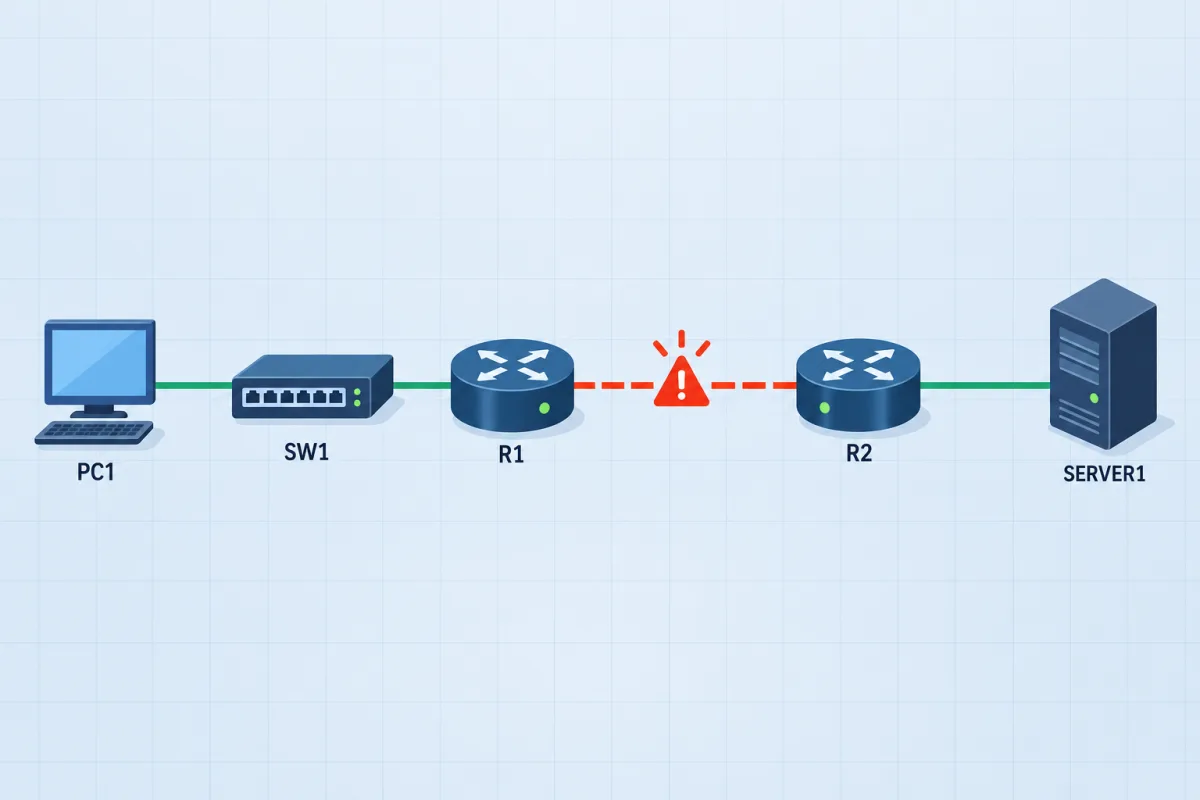
WAN troubleshootingFree scenario
Branch Office Connectivity Failure
A branch PC has lost access to the head-office server. Work through the path - the access switch, the branch router and the head-office router - find what is wrong, and fix it so PC1 reaches Server1 again.
 VLANs & trunks
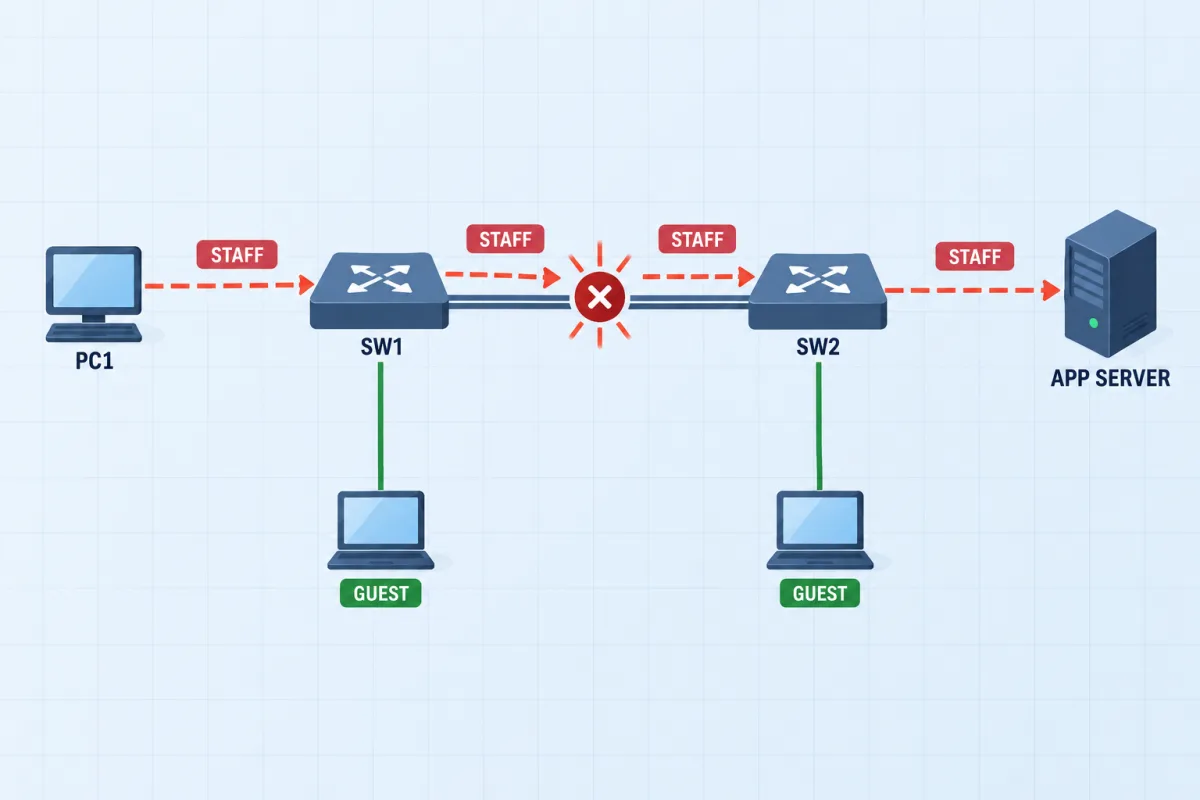
Campus VLAN: Restore the Uplink
An application server is unreachable across two access switches. Restore the staff VLAN without connecting the isolated guest segment.
 Static routing
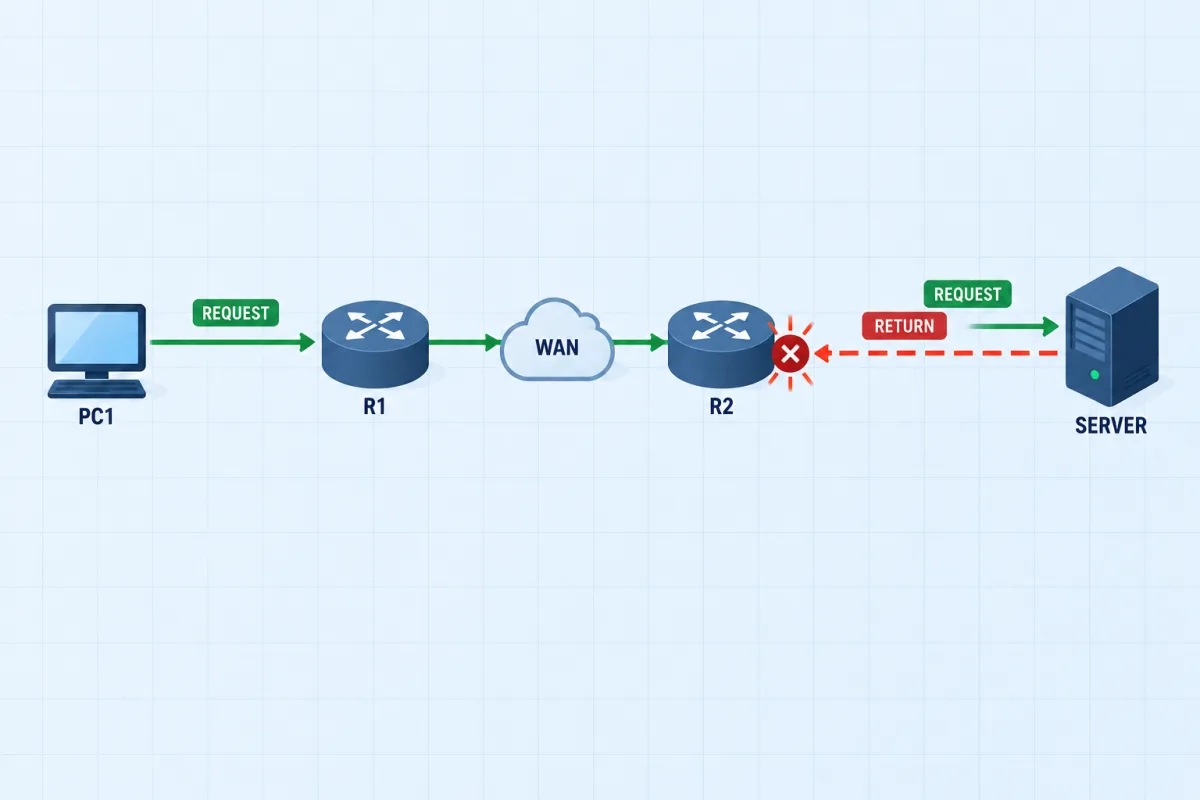
Return Path: Two-Way Routing
All interfaces are up, but branch requests still time out. Trace both directions and restore reliable communication between the branch and the data centre.
 OSPF
OSPF
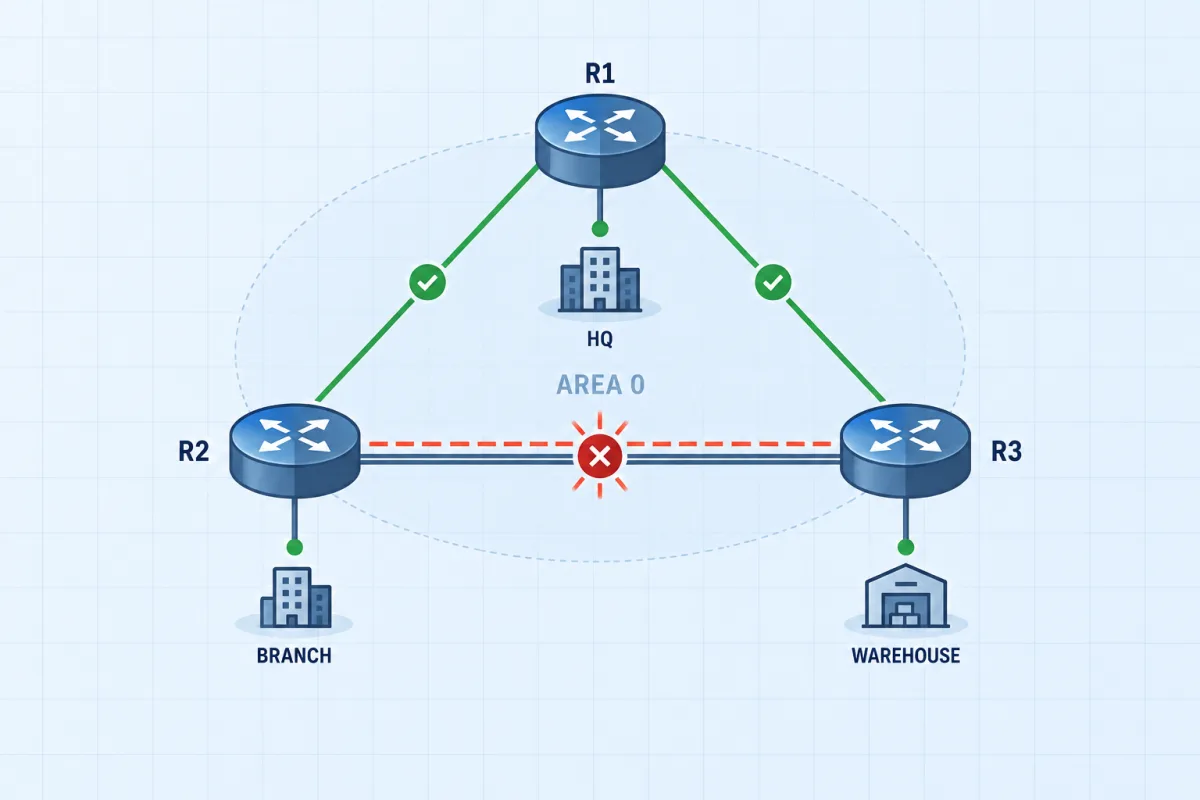
Three Sites on OSPF
Head office, branch and warehouse run a single OSPF area over a triangle of links. One site has dropped out of the routing domain. Find out why the adjacency will not form and bring the site back.
 EtherChannel
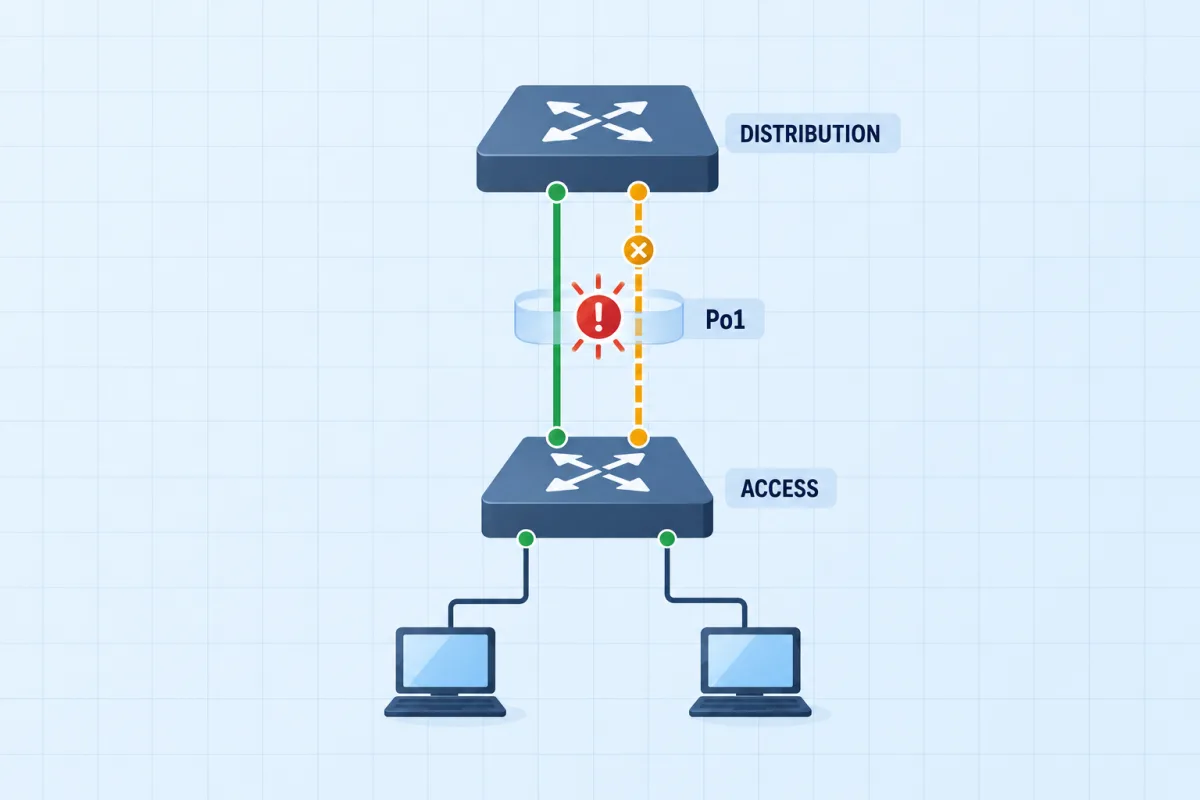
Bundle the Access Uplink
Two cables run between the access switch and the distribution switch, and they were meant to work as one 2 Gbps link. The bundle has not formed, so spanning tree is blocking half the capacity. Get the channel up.
 NAT & ACLs
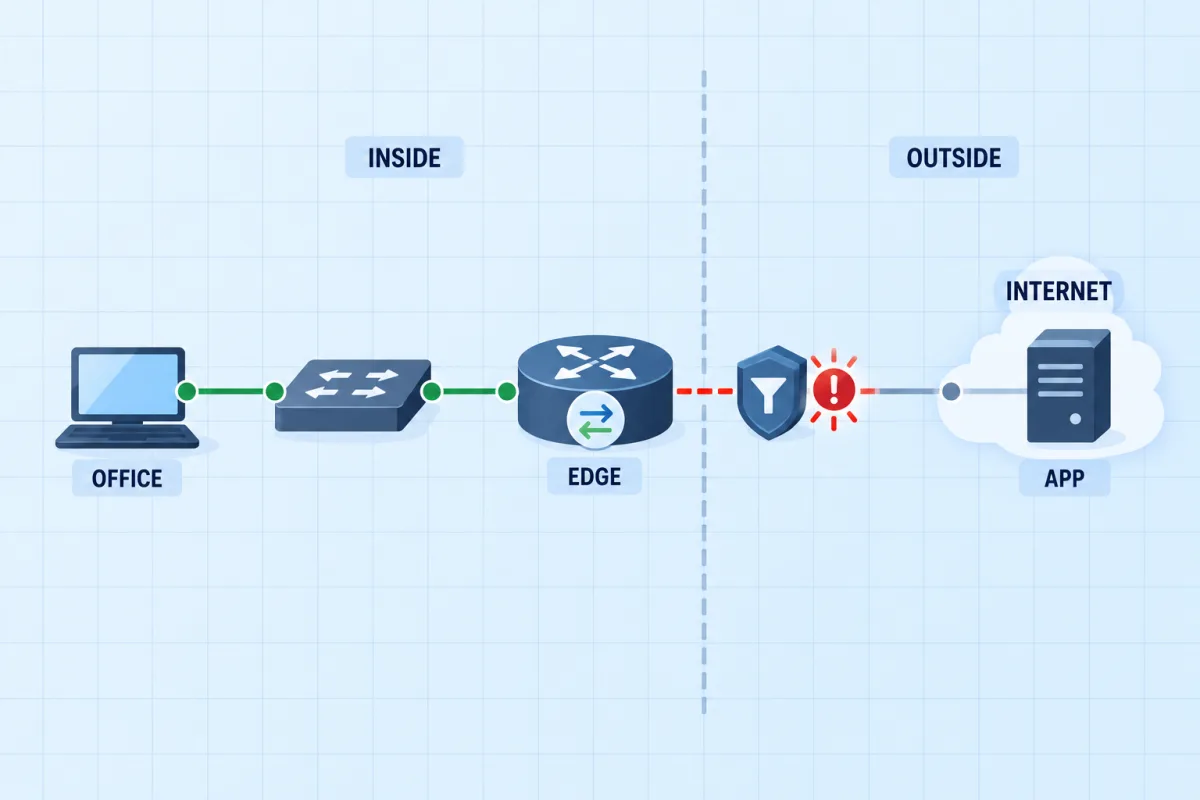
The Office Edge: NAT and a Filter
The office router translates the private LAN behind its public address and filters what leaves. Since a change window, nobody on the LAN can reach the hosted application. Work out which half of the edge is broken.
 IPv6
IPv6
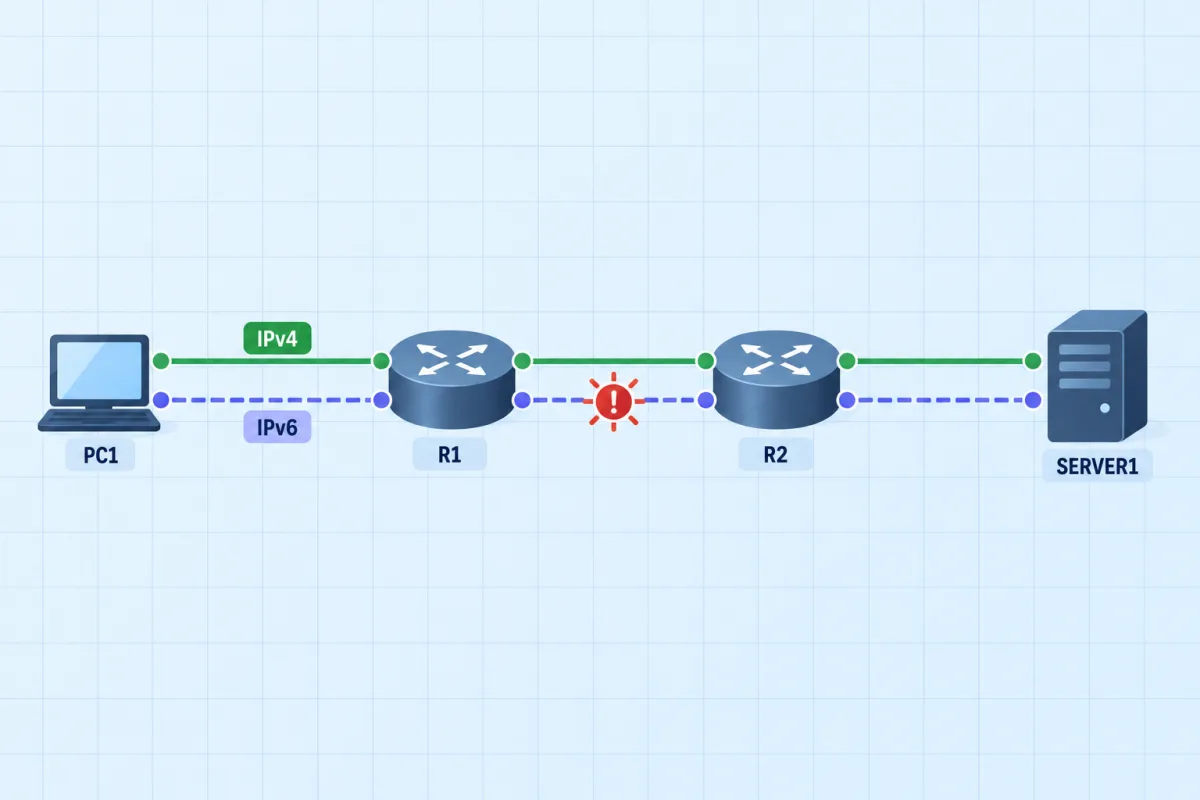
Dual Stack: IPv6 Beside IPv4
The IPv4 half of this network works and proves the cabling is fine. The IPv6 half does not. Find the difference between the two stacks and bring IPv6 up without disturbing IPv4.
 Port security
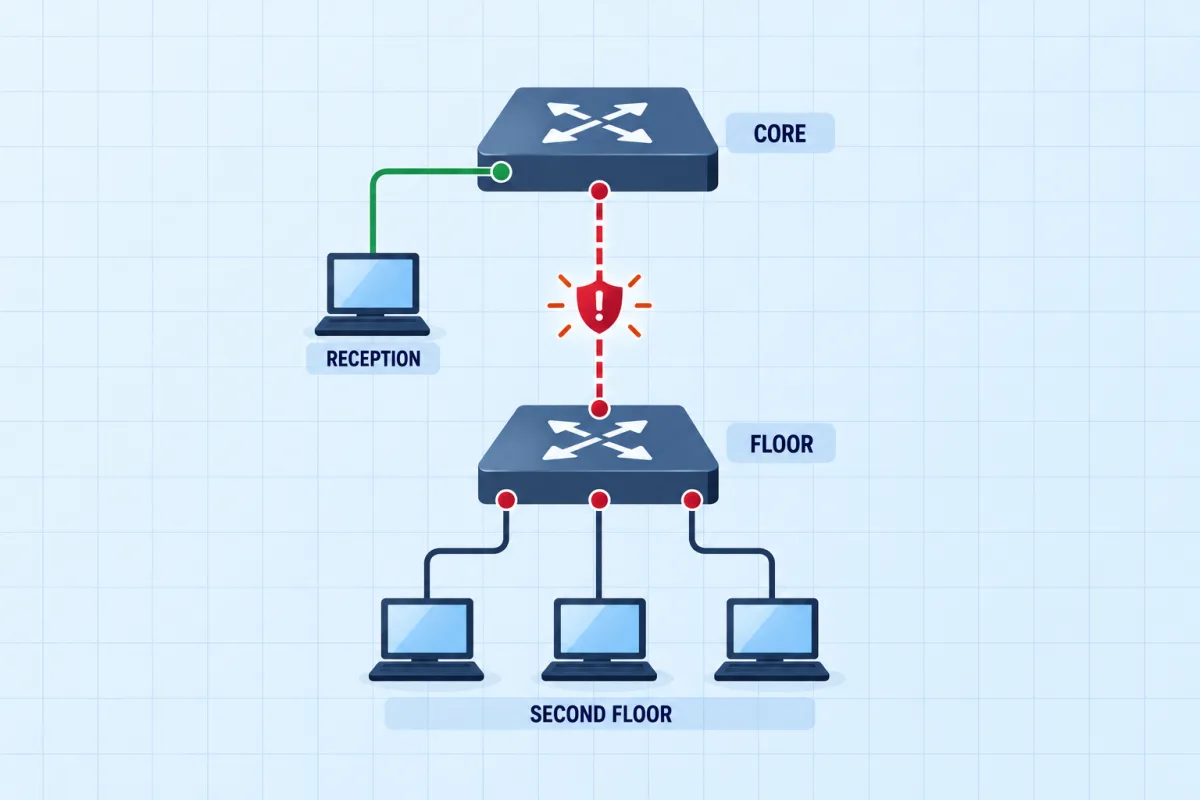
Port Security: The Uplink That Locked Itself Out
An access switch was hardened over the weekend. Since Monday the whole second floor is offline while the reception PC beside it works perfectly. Find what the hardening actually secured, and fix it without leaving the edge ports unprotected.
 DHCP & snooping
DHCP Relay and Snooping: No Address on the Floor
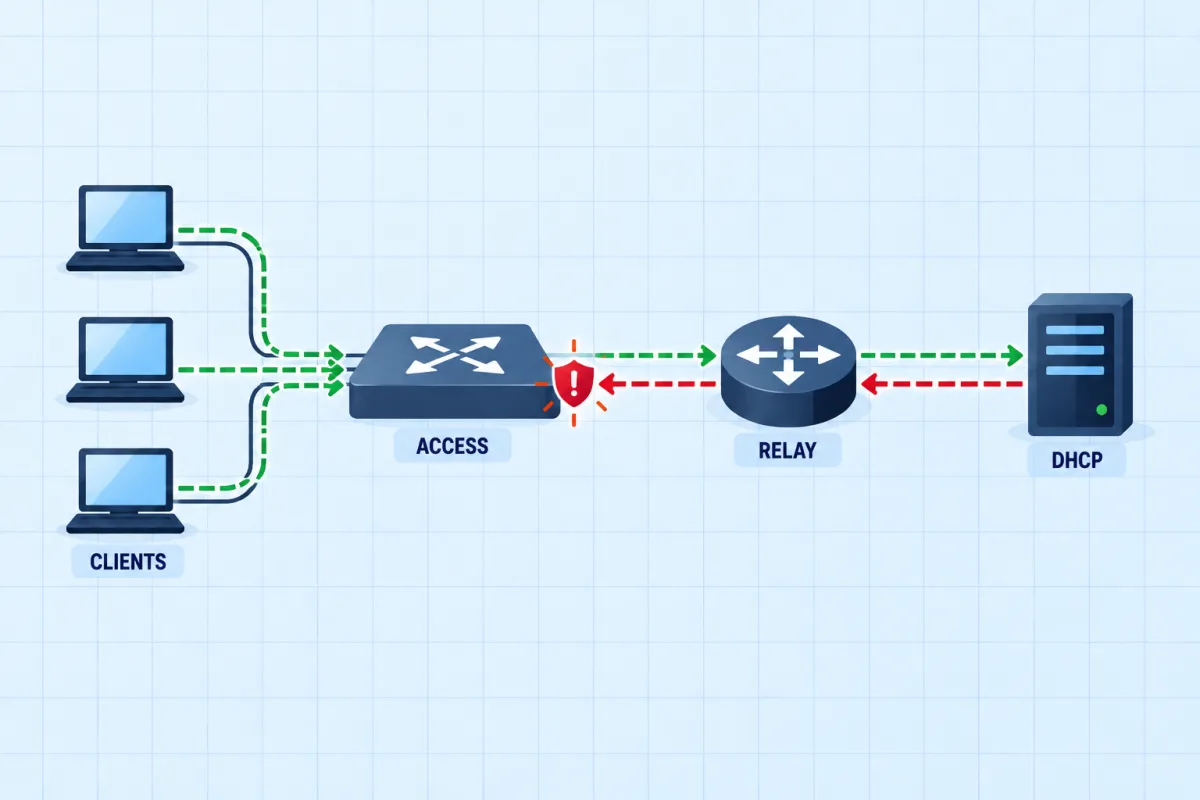
The DHCP server lives on the data centre subnet and serves the office through a relay. After a security change, office machines boot with no address at all. Work out whether the request is failing on the way out or the offer on the way back.
Between them: 28 different faults. The Branch Office scenario is free; the rest come with the CCNA pack. See them all in the scenario library.
What a run looks like, step by step
- Read the brief and the topology. You get the symptom a user would report ("the branch PC cannot reach the head-office server") and a live diagram whose port lights follow the real link state.
- Work from the console. Every device has a tab: routers and switches take IOS-style commands (
show,ping,traceroute,configure terminal, pipes like| include), PCs takeipconfig,ping,tracertandarp -a. Enable passwords,--More--paging,?help and Tab completion behave the way they do on a real device. - Press Check whenever you like. It tests the network and costs nothing. It grades exactly what Submit will, so a repair that is still converging (a switch port coming up, an OSPF adjacency forming) is judged on its settled state.
- Submit for a score. Correctness, efficiency against a par, hints used, integrity (nothing unrelated changed) and safety. Then draw a new fault or move on.
What a fault looks like from the console
This is real output from the engine the scenarios run on - an access switch whose EtherChannel uplink has one member refusing to join. Nothing in the brief says "EtherChannel"; the clue is a user complaining that the file server is slow and sometimes unreachable.
DIST#show etherchannel summary
Flags:  D - down        P - bundled in port-channel
        I - stand-alone s - suspended
        R - Layer3      S - Layer2
        U - in use      u - unsuitable for bundling

Number of channel-groups in use: 1
Number of aggregators:           1

Group  Port-channel  Protocol    Ports
------+-------------+-----------+-----------------------------------------------
1      Po1(SU)       LACP        Gi0/1(s) Gi0/2(P)
The lower-case s means suspended: that member did not negotiate into the bundle. Compare the two ends' channel modes - one side set to on and the other to active will never bundle.
DIST#show etherchannel summary
Flags:  D - down        P - bundled in port-channel
        I - stand-alone s - suspended
        R - Layer3      S - Layer2
        U - in use      u - unsuitable for bundling

Number of channel-groups in use: 1
Number of aggregators:           1

Group  Port-channel  Protocol    Ports
------+-------------+-----------+-----------------------------------------------
1      Po1(SU)       LACP        Gi0/1(P) Gi0/2(P)
Every command you would use on the exam works this way. The CCNA troubleshooting commands cheat sheet collects them by symptom, with more real output.
Scenario-to-blueprint map (v1.1 now, v2.0 from February 2027)
Mapped to Cisco's published exam topics. Before 3 February 2027 you sit v1.1, where these topics are configure-and-verify; from that date v2.0 applies, and 7 of the 9 scenarios drill a topic Cisco now words as troubleshoot.
| Scenario | CCNA v1.1 topics (current) | CCNA v2.0 topics and verb (from 3 Feb 2027) |
|---|---|---|
| Branch Office Connectivity Failure | 1.6 IPv4 addressing · 2.1 VLANs · 3.3 Static routing | troubleshoot1.3 Troubleshoot IPv4 addressing · 2.4 Troubleshoot L2/L3 connectivity · 3.2 Troubleshoot static routing |
| Campus VLAN: Restore the Uplink | 2.1 VLANs · 2.2 Trunks (802.1Q) | troubleshoot2.1 Trunks · 2.2 Access-port VLANs · 2.4 Troubleshoot L2/L3 connectivity |
| Return Path: Two-Way Routing | 3.3 IPv4 static routing | troubleshoot3.2 Troubleshoot IPv4/IPv6 static routing |
| Three Sites on OSPF | 3.4 Single-area OSPFv2 | troubleshoot3.3 Configure OSPFv2/OSPFv3 · 2.4 Troubleshoot L3 connectivity |
| Bundle the Access Uplink | 2.4 EtherChannel (LACP) · 2.5 Rapid PVST+ | troubleshoot2.1 LACP EtherChannel · 2.5 Rapid PVST+ · 2.4 Troubleshoot L2 connectivity |
| The Office Edge: NAT and a Filter | 4.1 Inside source NAT · 5.6 ACLs | configure4.3 NAT/PAT · 4.6 IPv4 ACLs |
| Dual Stack: IPv6 Beside IPv4 | 1.8 IPv6 addressing · 3.3 IPv6 static routing | troubleshoot1.4 Troubleshoot IPv6 addressing · 3.2 Troubleshoot IPv6 static routing |
| Port Security: The Uplink That Locked Itself Out | 5.7 Layer 2 security (port security) | configure4.7 Layer 2 security (port security) |
| DHCP Relay and Snooping: No Address on the Floor | 4.6 DHCP client and relay · 5.7 DHCP snooping | troubleshoot1.7 Troubleshoot DHCPv4 relay · 4.7 DHCP snooping |
Full domain weights and verbs: CCNA exam topics.
Troubleshooting labs vs Packet Tracer labs
They answer different questions, and most candidates benefit from both.
| Troubleshooting Practice | Cisco Packet Tracer | |
|---|---|---|
| What you do | Find and fix a fault in a network someone else built | Build any topology you like |
| Feedback | Graded on network state: checks, score, integrity | None in a free build; activity files grade if an instructor made one |
| Setup | Browser, nothing to install | Desktop install, free NetAcad account |
| Surprise | A different fault each run | Only what you put there |
| Cost | One scenario free; all 9 with the CCNA pack | Free |
Packet Tracer is the better tool for building a topology from a blank canvas; it is free and every CCNA candidate should have it. For how it compares with GNS3, Cisco Modeling Labs and Boson NetSim, see the best CCNA lab simulators, ranked.
What is free, and what the CCNA pack adds
- Free with
CCNA-EXAM-FULL: the Branch Office Connectivity Failure scenario (one fault) and a full-length CCNA practice exam with an explanation and an exam tip on every question. - The CCNA pack, $39 once: all 9 scenarios and their 28 faults, plus every CCNA practice exam (5 exams, 509 questions) - for life, including future versions of the exam. No subscription.
Redeem it and start the free scenario
Create a free account with the code and you land in the Branch Office scenario. When you finish, the full CCNA exam is waiting on the same code.
CCNA-EXAM-FULL
Redeem the code
Already have an account? Log in and open it
CCNA troubleshooting practice questions
Five questions on reading symptoms and output, each with an explanation of why the other answers fail.
Now do it on a live network
A branch PC has lost access to the head-office server. Work through the path - the access switch, the branch router and the head-office router - find what is wrong, and fix it so PC1 reaches Server1 again.
Frequently Asked Questions
Are there free CCNA labs online?
Yes. The Branch Office Connectivity Failure scenario is free with the free CCNA exam code (CCNA-EXAM-FULL): a five-device network with one fault to find and fix from the console, in your browser, with no install. Cisco Packet Tracer is also free with a NetAcad account, but it is a sandbox you build yourself rather than a graded fault to find. The other 8 FigigExams scenarios come with the CCNA pack.
What is the best way to practise CCNA troubleshooting?
Work on networks you did not build. When you configure a lab yourself you already know where every setting is, so you never practise the part the exam and the job test: reading show output and ping results until the one wrong line gives itself away. Break-and-fix scenarios, a colleague breaking your lab, or graded fault-finding labs all force that. Pair them with a symptom-to-command routine (see the troubleshooting commands cheat sheet).
Do I need Packet Tracer or GNS3 to practise CCNA troubleshooting?
No. Troubleshooting Practice runs a Cisco IOS-style console in the browser, so there is nothing to install and no IOS images to find. Packet Tracer, GNS3 and Cisco Modeling Labs are still worth having for building topologies from scratch - the two do different jobs. The lab simulator comparison ranks them honestly.
Is this real Cisco IOS?
No. It is an IOS-style simulation built for certification practice: it reproduces the CLI syntax, show output and network behaviour the CCNA scenarios need (routing, switching, STP, OSPF, NAT, DHCP, IPv6, port security). It is not Cisco IOS software and is not affiliated with Cisco. Commands outside a scenario's scope are accepted where they are safe and say so when the lab does not model them.
How is a scenario graded?
On the network's state, not on the commands you typed. Checks test what a user would notice - can PC1 reach the server, does the web service answer, is the guest VLAN still isolated - plus "must stay" checks that fail if you break something unrelated to fix the fault. Any valid repair passes: a default route where a specific route was expected scores the same. Pressing Check is free; Submit scores correctness, efficiency, hints used, integrity and safety.
Do labs or simulations appear on the CCNA exam?
Cisco lists simulation-style items among its exam question formats, and the CCNA 200-301 v2.0 blueprint that takes effect on 3 February 2027 brings back "troubleshoot" and "diagnose" verbs for seven topics - addressing, DHCP, Layer 2 and Layer 3 connectivity with show commands, static routing and more. Either way, fault-finding is the skill the exam rewards.
How many CCNA labs should I do before the exam?
Enough that the diagnosis becomes routine rather than lucky: each FigigExams scenario draws a different fault on every run, so repeating a scenario is new practice, not memorisation. A useful bar is being able to name the fault from show output within about ten minutes, across every topic you will be tested on.